

Did You Know?
Printing from your own device
In last year’s survey, many people requested the ability to print from their own devices, not just from our PCs. The good news is that we have long had this service. You can print from your phone, tablet, or laptop. You can print files, or emails. All standard file formats are supported, and all standard print options (eg Black and White vs Colour) are available.
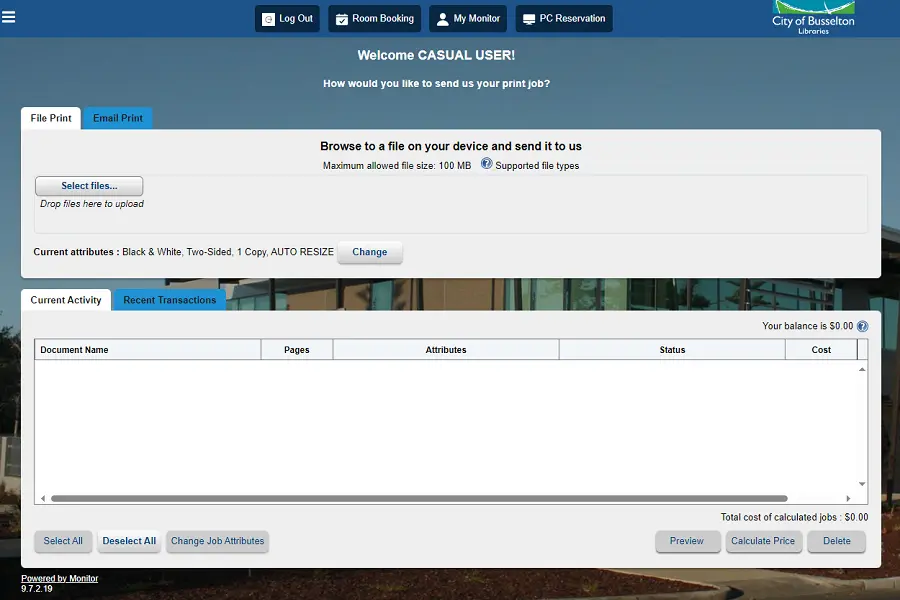
Printing files from your PC is managed through our My Monitor portal. Logging in with your library card or guest pass, you can access the Web Print section to upload your files. Printing via email, you need to have first established a print account and associated your email with that account, then you can send the email to our printer.
Payment for printing is managed at our self-serve kiosks. There are two options: put bulk credit on and deduct this over time (useful for library members who print regularly), or payment for just your current print job(s). Once paid for, you can log in at one of our printers to release your printing.
Step-by-step instructions are available inside the library, and are available in multiple languages. Our friendly staff are also available to assist you with printing.
Move information on printing, including our current prices, can be found at our Computers & Technology page. More information on joining the library can be found at our Membership page.